

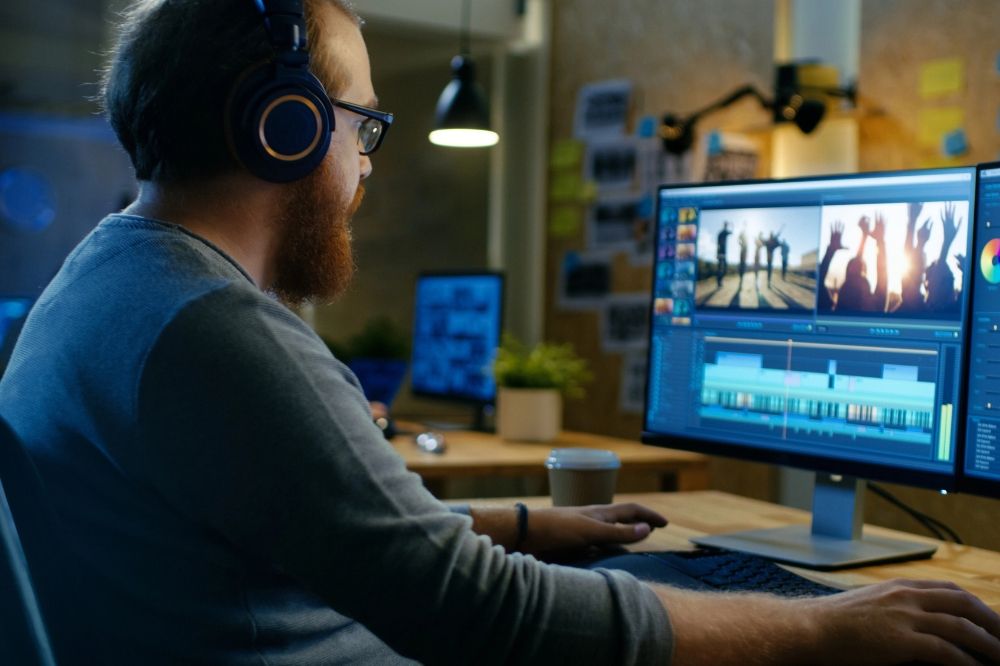
Video content has become an important part of online communication. Businesses use it to introduce products, teachers use it to explain difficult subjects, and creators share stories through short clips and longer productions. However, a good video is not only about recording the right moments. It also depends on how those moments are arranged, how clearly the message is delivered, and whether the final result keeps viewers interested.
A reliable video editor can make this process easier by bringing essential editing features into one workspace. Instead of learning complicated software, beginners can focus on improving their footage, adding useful details, and creating videos that suit their audience.
Start With a Clear Purpose
Before editing, decide what the video needs to communicate. A product demonstration requires a different approach from a family montage, educational tutorial, or social media advertisement.
A simple plan can prevent unnecessary editing and help you select the most useful footage.
- Define the main message: Decide what viewers should understand after watching.
- Select the strongest clips: Remove recordings that do not contribute to the story.
- Choose the audience: Consider their interests, expectations, and viewing habits.
- Set a suitable length: Keep the video as long as necessary, without adding repetitive scenes.
Planning also makes it easier to identify missing footage before spending time on detailed edits.
Turn Raw Footage Into a Complete Story
Unedited recordings often contain pauses, repeated actions, background distractions, and unrelated moments. Arranging clips in a logical order can transform this material into a more engaging presentation.
Start with an opening that introduces the subject quickly. Follow it with the main information or action, and finish with a useful conclusion. For example, a cooking video might show the finished dish first, explain the preparation process, and end with the final result.
Short transitions can connect different scenes, but excessive effects may distract viewers. Clean cuts are often enough to maintain a natural rhythm.
Use Editing Features That Solve Real Problems
Not every video needs advanced effects. A few carefully selected adjustments can make a noticeable difference.
| Editing feature | Practical purpose |
| Trimming and cutting | Remove unwanted sections and long pauses |
| Text overlays | Introduce topics, names, or important information |
| Audio controls | Balance narration and background music |
| Brightness and contrast | Improve the appearance of footage |
| Speed adjustments | Emphasize an action or shorten repetitive scenes |
| Aspect ratio settings | Prepare videos for different platforms |
Tools such as Clideo bring several of these functions together in a browser-based workspace, allowing users to arrange video, images, text, and audio without installing traditional desktop editing software.
Make Sound and Text Work Together
Audio quality can influence how viewers perceive a video. Even attractive visuals may lose their impact when narration is difficult to understand or music is too loud.
For better results, follow these simple practices:
- Record narration in a quiet environment whenever possible.
- Keep background music below spoken dialogue.
- Remove unnecessary pauses and distracting noises.
- Add subtitles when viewers may watch without sound.
- Check spelling, timing, and readability before exporting.
Text should remain on screen long enough to be understood. Use a readable font, sufficient contrast, and consistent placement rather than changing styles in every scene.
Choose the Right Format for Each Platform
A video created for a desktop presentation may not look suitable on a mobile screen. The dimensions, pacing, and placement of text should reflect where the content will appear.
Vertical videos generally suit mobile-first formats, while landscape layouts work well for many tutorials and traditional YouTube videos. Square videos can be useful for certain social media feeds.
Before exporting, check that the main subject is visible and that captions do not overlap with platform buttons or other interface elements.
A Simple Editing Workflow for Beginners
You do not need to complete every adjustment at once. Following a consistent process makes editing more manageable.
- Import your media: Gather the video clips, images, and audio files you intend to use.
- Arrange the timeline: Put the footage in the order that best explains the story.
- Clean up the clips: Trim unnecessary sections and remove repeated material.
- Improve the presentation: Adjust lighting, add titles, and include suitable transitions.
- Review the sound: Balance narration, music, and other audio.
- Preview the entire video: Look for awkward cuts, spelling errors, and timing problems.
- Export and inspect: Save the finished file and play it back before publishing.
An online tool such as Clideo’s video editor can support this workflow through its timeline-based editing interface and browser access. Users can combine different media types, adjust clips, add text, and prepare their projects for sharing.
Common Video Editing Mistakes to Avoid
Some editing decisions make a project look less professional even when the original footage is good.
Too many effects: Frequent transitions and animations can overwhelm the message. Use them only when they serve a purpose.
Unbalanced audio: Loud music can make dialogue difficult to follow. Review sound levels with headphones before publishing.
Inconsistent text styles: Using too many fonts and colors creates a messy appearance. Choose a small, consistent set of styles.
Ignoring the final review: A quick preview may miss incorrect captions, abrupt endings, or blank frames. Watch the complete export before sharing it.
Exporting without checking quality: Confirm that the resolution, dimensions, and file format meet the requirements of the intended platform.
How to Measure Whether a Video Works
A successful video does more than look attractive. It should also help viewers understand the message and encourage them to take the intended next step.
Depending on the purpose, useful indicators may include:
- Average viewing duration.
- Audience retention throughout the video.
- Shares, comments, and saves.
- Clicks on relevant links or calls to action.
- Questions or feedback from viewers.
For example, if many people stop watching during a long introduction, shortening the opening may improve the experience. If viewers repeatedly ask about a particular step, adding a clear caption or demonstration could make the content easier to follow.
These observations can guide future editing decisions more effectively than adding visual effects simply because they are available.
Final Thoughts
Creating effective videos does not require an elaborate production setup. Clear planning, thoughtful clip selection, balanced audio, readable text, and a careful final review can make an ordinary recording more useful and engaging.
The most effective approach is to choose editing tools that match your needs and learn the features you will actually use. With a consistent workflow and attention to detail, beginners and experienced creators alike can produce videos that communicate ideas clearly and look ready to share.
