
Somewhere between packing lunches and finding the missing left shoe, most parents in Dallas haven’t given a single thought to whether their home internet can actually handle the school year ahead. It’s an easy thing to overlook until the first week of classes, when three kids are suddenly logging into different portals at the same time, a parent is on a video call in the next room, and the whole connection grinds to a crawl right when everyone needs it most.
A few minutes of checking now can save a genuinely stressful first week later, long before that first Monday morning scramble ever happens. This isn’t about becoming a tech expert overnight or learning a bunch of confusing jargon. It’s a short, practical checklist any parent can work through in one sitting, covering exactly what tends to catch families off guard once the school year actually starts and everyone’s schedule suddenly gets busier.
What Actually Changes About Your Internet Needs in September
A home that felt perfectly connected all summer can suddenly feel strained the moment school starts back up. Understanding why makes the rest of this checklist considerably easier to act on. Over the summer, most households run a handful of devices at a time, streaming, browsing, the occasional video call.
Once school starts, that changes fast. Several kids may be logging into live classes at the same time, homework now happens on a shared laptop instead of paper, and a parent working from home is often on their own call in the next room. That’s a lot more happening on the same connection, all at once, than most homes are used to.
Your Back-to-School Internet Checklist
Working through these six checks now, before the first day of school, takes only a few minutes and can spare your family a genuinely stressful first week.
1. Check Your Internet Speed
The FCC’s official Broadband Speed Guide sets the current benchmark for broadband at 100 Mbps download and 20 Mbps upload, a standard the agency updated specifically to reflect the demands of multi-device, multi-user households like those managing several students online at once.
Run a quick speed test to see what your connection is actually delivering, not just what your plan promises on paper. If your download speed is hovering below 100 Mbps, or your upload speed is noticeably slow, that’s often the first sign your plan may not keep up with several students online at once. Testing now, rather than waiting until the first day of class, gives you time to actually fix the problem instead of discovering it during a live lesson.
2. Test the Connection Where Students Actually Study
A strong signal in the living room doesn’t guarantee the same strength in a bedroom or home office where a student will actually be logging into class. Walk to that specific spot and run a test there directly, since Wi-Fi signal often weakens considerably the farther it travels from the router. If the connection is noticeably weaker in that room, it’s worth addressing now, whether that means repositioning the router or adding a signal extender, rather than waiting for a dropped call during an actual lesson.
3. Prepare the Devices
Before the first day arrives, it’s worth confirming that every device a student will actually use is genuinely ready to go. A few quick checks now can prevent a frustrating scramble on an already busy morning.
- Update software on laptops and tablets: Pending updates can slow down performance right when it matters most.
- Charge devices fully the night before: A dead battery on the first morning is an easy problem to avoid.
- Confirm login credentials for school portals: Testing these in advance avoids a frustrating scramble on day one.
- Check headphones and webcams work properly: These small essentials are easy to forget until a video call actually starts.
Running through this short list the weekend before school starts takes only a few minutes and removes several possible headaches before they ever have a chance to happen.
4. Make Sure There Is Enough Bandwidth at Busy Times
Think through what a typical morning will actually look like once multiple kids are attending live classes at the same time, possibly alongside a parent working from home too. If your connection struggled with far less activity over the summer, busy school-day mornings are likely to be considerably more demanding. Adding up roughly how many devices will be active at once during that peak hour gives you a realistic sense of whether your current plan can genuinely keep pace.
5. Check the Equipment Students Depend On
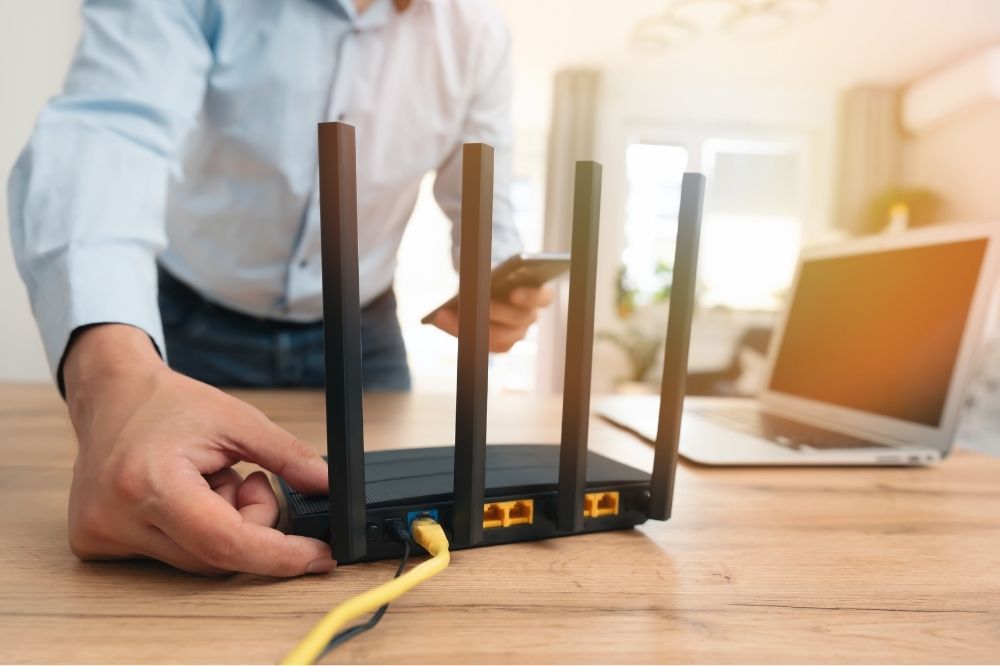
Take a look at your router and modem, especially if either one is several years old, since aging equipment often can’t keep pace with the number of devices a busy household now relies on. A router that hasn’t been restarted in months can also quietly develop performance issues worth clearing up before classes begin. If you’re not sure how old your equipment actually is, checking with your provider is a quick way to confirm whether an upgrade might be worth considering before the school year gets underway.
6. Know Who to Contact When Something Goes Wrong
Even with everything checked in advance, an internet hiccup can still happen on the first day, so it’s worth knowing ahead of time who to actually call. Families looking into Dallas fiber internet may want to consider how well their connection can handle several devices being used for schoolwork, streaming, video calls, and other everyday activities at the same time.
Frontier, for example, provides fiber-based internet plans designed to support multiple connected devices and high-usage households, where households may be comparing local internet options based on factors such as availability, connection type, and the needs of their home.
Plan for How Your Internet Needs May Change
As the school year moves along, it’s worth revisiting this checklist every so often rather than treating it as a one-time task. Kids take on new subjects, new group projects pop up, and a connection that felt sufficient in September might need a second look by winter.
The good news is that most adjustments are simple once you know what to check. A quick speed test every few months, paired with a look at whether your plan still matches how your household actually uses the internet, keeps small issues from turning into a bigger disruption later in the year.
Conclusion
A few minutes spent working through this checklist now can spare your family a genuinely stressful first week of school. From checking your speed to knowing who to call if something goes wrong, these small steps add up to a considerably smoother start once classes actually begin. Taking care of this before the first bell rings means one less thing to worry about during an already busy season, leaving more energy for the parts of back-to-school that actually deserve your attention, like packed lunches and missing shoes.
